like minecraft or idk or like hud thing from point n click thing
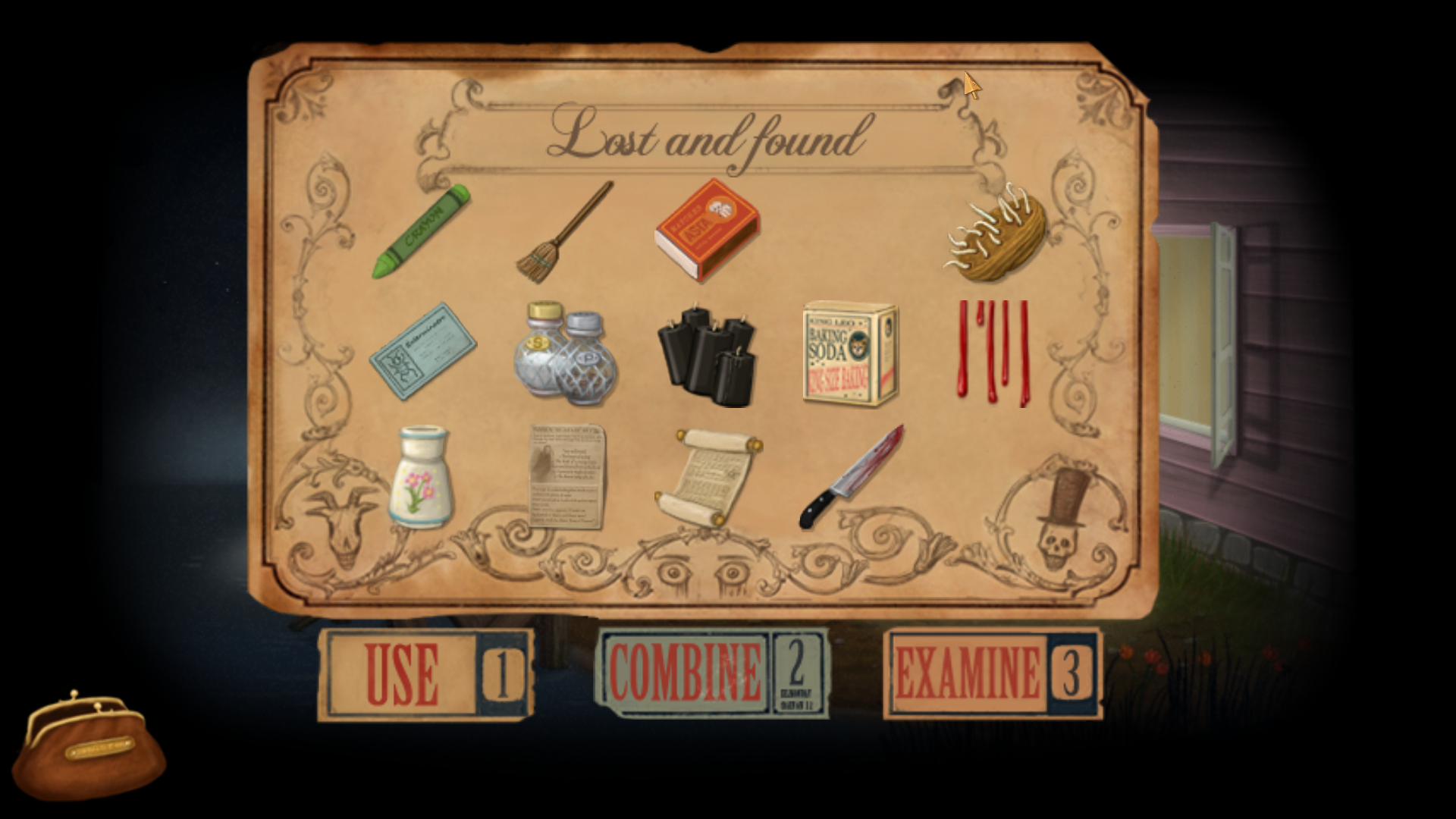

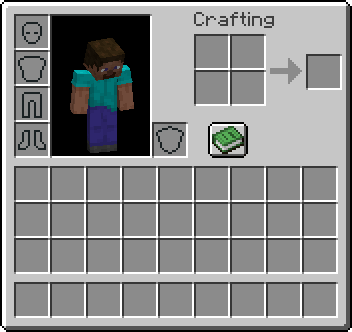
inventory interactions
interact with items to pick them up
walk over items to pick them up
show text (you picked up "item name")
godot plugins
get item from npc (for completing a quest or something)
get a pop up if you cannot pick it up yet forsome reason(need to find another item first or something)
you can now see the item in your inventory
if you use the item text shows "you used item name"
if its a one time use item text shows "item name has been destroyed"
If you are using Nathan Hoad’s popular Godot Dialogue Manager plugin, the absolute best way to handle inventory checks is by ==leveraging Global Autoloads (Singletons)==. Because Godot Dialogue Manager seamlessly evaluates real-time GDScript variables and methods exposed globally, you can query your inventory directly from your dialogue files (.dialogue) without duplicating state data.
Here are the three best ways to implement inventory-based dialogue checks using this workflow:
Setup Strategy: The Inventory Autoload
Before looking at the approaches, ensure you have an Autoload script named Inventory registered in your Project Settings.
gdscript
# inventory.gd (Registered as an Autoload named 'Inventory')
extends Node

# Stores item_id: quantity
var items: Dictionary = {
	"rusty_key": 1,
	"gold_coin": 15
}

func has_item(item_id: String, amount: int = 1) -> bool:
	return items.get(item_id, 0) >= amount

func remove_item(item_id: String, amount: int = 1) -> void:
	if has_item(item_id, amount):
		items[item_id] -= amount
Use code with caution.
In your Godot Dialogue Manager settings, ensure Inventory is added to the list of "Globals" so your .dialogue files can read it.
Way 1: The Conditional Logic Approach (Best for Branching Conversations)
This is the native, cleanest way to show or hide lines based on what the player is holding. You use GDScript conditional formatting directly inside your dialogue script.
Your .dialogue File:
dialogue
~ start
Guard: Halt! No one enters the castle without a pass.
- Bribe him with gold [if Inventory.has_item("gold_coin", 10)]
    do Inventory.remove_item("gold_coin", 10)
    Guard: Welcome inside, traveler. Keep it quiet.
    => castle_entrance
- Try to talk your way in
    Guard: Not going to happen. Scram.
    => start
- Leave
    => END
Use code with caution.
- Pros: Highly readable; completely handles choice pruning dynamically.
- Cons: Hardcoded item ID strings inside text files can become brittle if you change item names later.
Way 2: The Direct Custom Method / Script Mutation Call (Best for Item Hand-offs)
If your dialogue needs to trigger a complex inventory event (like checking a condition, removing an item, and automatically adding a reward item all at once), you can encapsulate this logic inside a method on your Autoload and call it via the do statement.
GDScript (inventory.gd extension):
gdscript
func try_give_key_to_npc() -> bool:
	if has_item("rusty_key"):
		remove_item("rusty_key")
		# Maybe trigger an achievement or quest update here
		return true
	return false
Use code with caution.
Your .dialogue File:
dialogue
~ old_man_chat
Old Man: Did you find my old locker key in the dungeon?
- Yes, here it is.
    if Inventory.try_give_key_to_npc()
        Old Man: Oh, thank goodness! Here is your reward.
        do Inventory.add_item("potion", 1)
    else
        Old Man: Don't lie to an old man, you don't have it.
- Not yet.
    Old Man: Please hurry back if you find it.
Use code with caution.
- Pros: Keeps heavy logic out of dialogue files and safe inside structured GDScript code.
- Cons: Splits the logic; you have to bounce between the dialogue file and your script to see what
try_give_key_to_npc()actually checks.
Way 3: The Intercepted UI Presentation (Best for RPG-style "Select Item" Screens)
If you want the player to click a dialogue choice like "Give an item..." which then pops up your game's actual visual grid inventory UI for them to choose from, you must bridge the dialogue system with your UI code using asynchronous tracking or signals.
Your .dialogue File:
dialogue
~ merchant
Merchant: Show me something rare, and I'll trade with you.
- Open inventory to show an item...
    # Set a global state flag telling your game to wait for an item
    set DialogueState.waiting_for_item_selection = true
    # Emit a custom signal from a global tracker to open the UI panel
    do DialogueState.emit_signal("request_item_select_ui")
    # Tell Godot Dialogue Manager to pause processing until the UI closes
    => wait_for_ui

~ wait_for_ui
# The UI will resume the dialogue manager and point it to the correct branch
Use code with caution.
GDScript (dialogue_state.gd Autoload):
gdscript
extends Node
signal request_item_select_ui
var selected_item_id: String = ""
var waiting_for_item_selection: bool = false
Use code with caution.
Your Visual Inventory UI Script:
gdscript
# Connected to the item slot click event while the dialogue is open
func _on_item_slot_clicked(item_id: String):
	if DialogueState.waiting_for_item_selection:
		DialogueState.selected_item_id = item_id
		DialogueState.waiting_for_item_selection = false

		# Close the inventory UI
		hide()

		# Determine where dialogue should go next based on what they picked
		var next_line = "merchant_accepts" if item_id == "dragon_egg" else "merchant_rejects"

		# Resume the dialogue tree manually using the plugin's resource engine
		DialogueManager.show_dialogue_balloon(load("res://dialogue/main.dialogue"), next_line)
Use code with caution.
- Pros: Provides a premium, high-production RPG feel where the player interacts with a proper grid UI rather than just reading lists of text options.
- Cons: Complex to engineer; requires careful management of game states, UI visibility, and pausing dialogue progression safely.
Which of these matches the scope of your project? If you want to dive deeper, let me know:
- Are your items defined as Resource files (
.tres) or simple Strings/IDs? - Do you need help setting up the signal plumbing for the visual inventory pop-up (Way 3)?
how to implement inventory godot (AI!!!!)